Local development
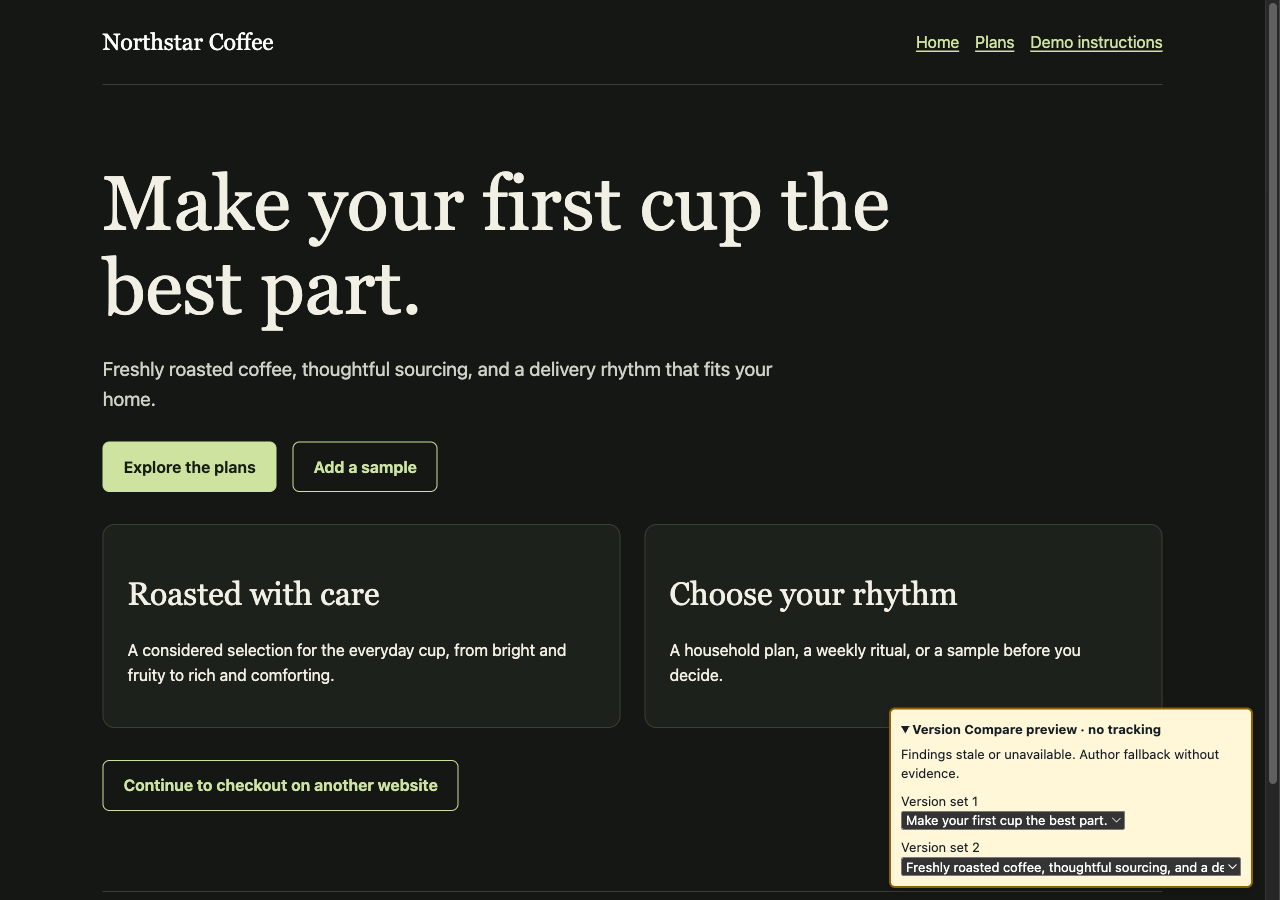
Use the proxy in front of your site's development server to see how each version looks and behaves as you work. A toolbar lets you switch between your alternatives on the page, without recording test visits or goals.
Start your site and the proxy
Start your usual development server. Then run the proxy on another local port, pointing it at that server:
version-compare-proxy \
--listen 127.0.0.1:8080 \
--upstream http://127.0.0.1:3000 \
--developmentOpen http://127.0.0.1:8080 instead of your app's usual address. For built static pages, replace the upstream option with --root ./dist.
Switch between your versions
The toolbar lists the version sets on the page. Choose an alternative to see it immediately, then try its links and interactions as you normally would. Your selections stay local.
This mode stops Version Compare tracking. It does not disable your app's payments, emails, database writes, or other analytics, so continue using your normal test accounts and development services.
Start with what works on your live site
To start with the best-performing version from your real results, provide an integration key and your published website address. The proxy uses those results without adding your development traffic to them:
version-compare-proxy \
--listen 127.0.0.1:8080 \
--upstream http://127.0.0.1:3000 \
--key-file /absolute/private/vc_key \
--development-origin https://www.example.com \
--developmentKeep opening the local address. Use the same page paths and version markup as your live site so its results can be matched. New alternatives without results can still be selected in the toolbar.
Use a container
You can also use the image from the proxy setup guide. Host networking lets its local listener reach your development server and browser:
docker run --rm --network host my-site \
--listen 127.0.0.1:8080 \
--upstream http://127.0.0.1:3000 \
--developmentOn Docker Desktop, enable host networking in Settings before running this command. Keep the development listener local; do not put this mode on your public site.
For pages created by a JavaScript framework, see SPA and dynamic pages.